![Fundmore-Logo.png]](https://help.fundmore.ai/hs-fs/hubfs/Fundmore-Logo.png?height=50&name=Fundmore-Logo.png)
Table Of Contents
Introduction
Heating Cost Rules Management Items, Their Description & Functionality
Introduction
The Heat Matrix (Heating Cost Calculator) allows lenders configure standardized rules for calculating annual heating costs based on property characteristics. Each rule defines a specific combination of:
- Living space range
- Defined Cost
- Optional property conditions
Once configured, these rules are used by the system to automatically calculate annual heating costs within applications.
These rules are managed in the Manager Portal and are used to automatically populate heating costs within applications when applicable. Heating Cost Rule management is limited to admin-level users with the required permissions..
Heating Cost Rules Management
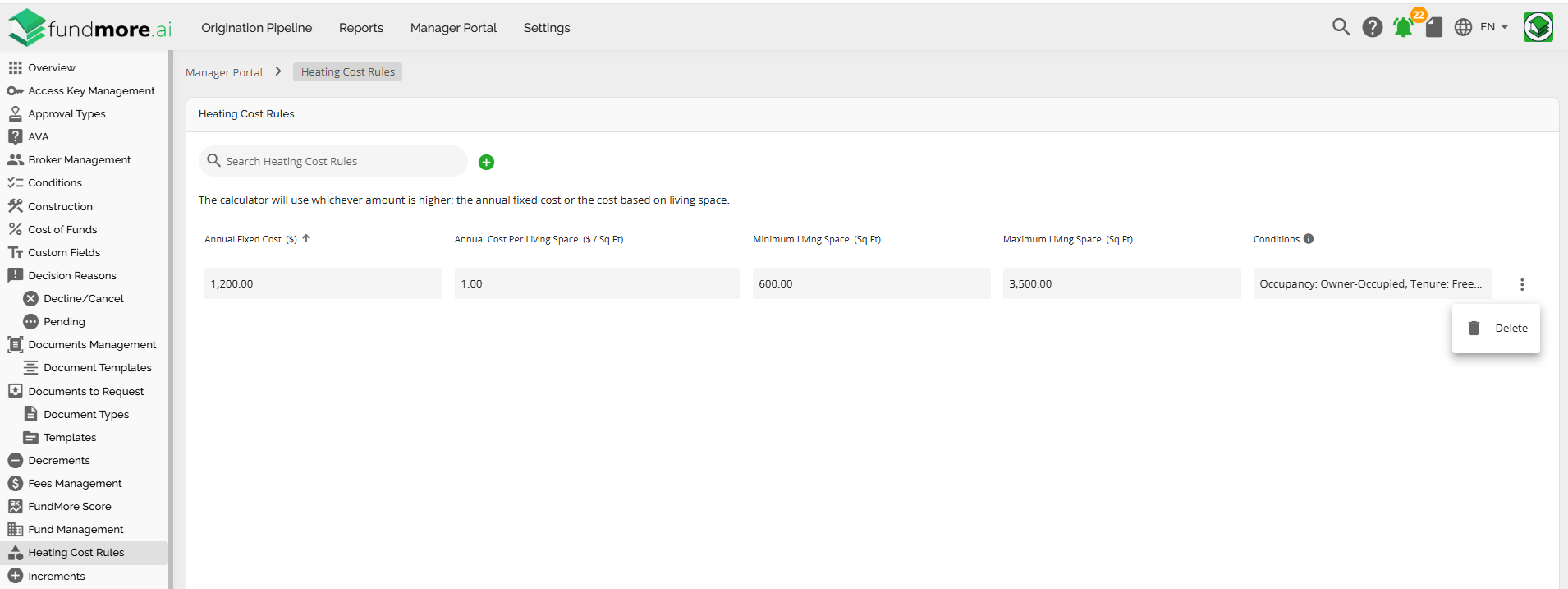
The Heating Cost Rules section allows administrators to define how annual heating costs are calculated based on a property’s living space and attributes.
To define the rules, follow these steps:
- Navigate to the Manager Portal.
- Select Heating Cost Rules from the side panel.
Heating Cost Rules Management Items, Their Description & Functionality
Search Box - Located at the top left corner of the section. In the search box you are able to enter text/keywords related to the previously created Heating Cost Rules (this includes numerical values). All rules within the search criteria in them will appear in a list view.
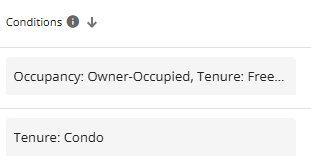
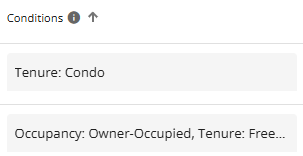
Sort the Heating Cost Rules List - You can sort the list by ascending or descending order. Simply click on the arrow icon next to the column header you wish to sort by. When the arrow points upwards, the list is sorted in ascending order; when it points downwards, it is sorted in descending order. The arrow in the sorted column will remain fixed, indicating your chosen criteria.
Ascending: Descending:
‘Add Heating Cost Rule’ Button - Enables you to create a new rule. When a user selects this button, a pop up appears with fields to input data. The fields consist of: Annual Fixed Cost ($), Annual Cost per Living Space ($ / Sq Ft), Minimum Living Space (Sq Ft), Maximum Living Space (Sq Ft), and Conditions.
Column List Headers - Displays the fields associated with each heating cost rule.

- Annual Fixed Cost ($) - Specifies a flat annual heating cost that will be applied when the rule matches a property. This value represents a fixed amount and does not vary based on the property’s living space.
- Annual Cost per Living Space ($ / Sq Ft) - Specifies a variable annual heating cost calculated based on the property’s living space. The system multiplies this value by the living space (in sq ft) to determine the heating cost.
If both an Annual Fixed Cost and an Annual Cost per Living Space are provided, the system will calculate both amounts and apply whichever value is higher.
- Minimum Living Space (Sq Ft) - Defines the minimum living space (in sq ft) for which the defined rule applies. The value entered must be less than or equal to the maximum living space. On the deal level, properties with a living space below this value will not match the rule.
- Maximum Living Space (Sq Ft) - Defines the maximum living space (in sq ft) for which the rule applies. The value entered must be greater than or equal to the minimum living space. On the deal level, properties with a living space above this value will not match the rule.
- Conditions - This is a multi-select field. It defines filters that determine when a heating cost rule applies. Conditions can be defined using property attributes such as Occupancy, Tenure, Dwelling Style, Dwelling Type, and Living Space Verified status. If no condition is specified for a field, the rule applies to all values for that field.
Selections within the same condition field are treated as OR, while conditions across different fields are combined using AND.
Note: The Living Space Verified condition is tied to the Living Space Verified checkbox in the Property Info tab within Property Details. Properties now default to “living space unverified”, allowing heating cost rules to apply without requiring manual interaction. This change ensures heating cost calculations run automatically when rule criteria are met, removing the need to toggle “Living Space Verified.”
Note: For clients without rules that reference “Living Space Verified” on ingestion, this change will not impact existing configurations.
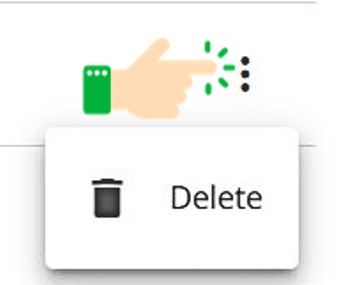
Ellipsis - Clicking on the ellipsis opens up the option to delete a defined rule.
Scroll Bars - The presence of the scroll bars depend on the size of your screen and the number of rules in the list. Located at the bottom of the list and to the far right of the screen. Use these to scroll vertically or horizontally to see what does not fit on the page.
Items Per Page - Depending on how large your list is, you may have more than one page of rules. To navigate through the pages, use the Items per page navigation at the bottom right hand side of your screen. With this functionality, you can indicate how many items per page you would like to see in groups of 10, 15, 25, 50, or 100. You can see how many pages there are and scroll forwards and backwards through the pages if need be.

Adding a Heating Cost Rule
To add a new Heating Cost Rule, follow these steps:
- Click the “Add New Heating Cost Rule” button. A form will open on the right side of the screen, allowing you to define the parameters for the new rule.
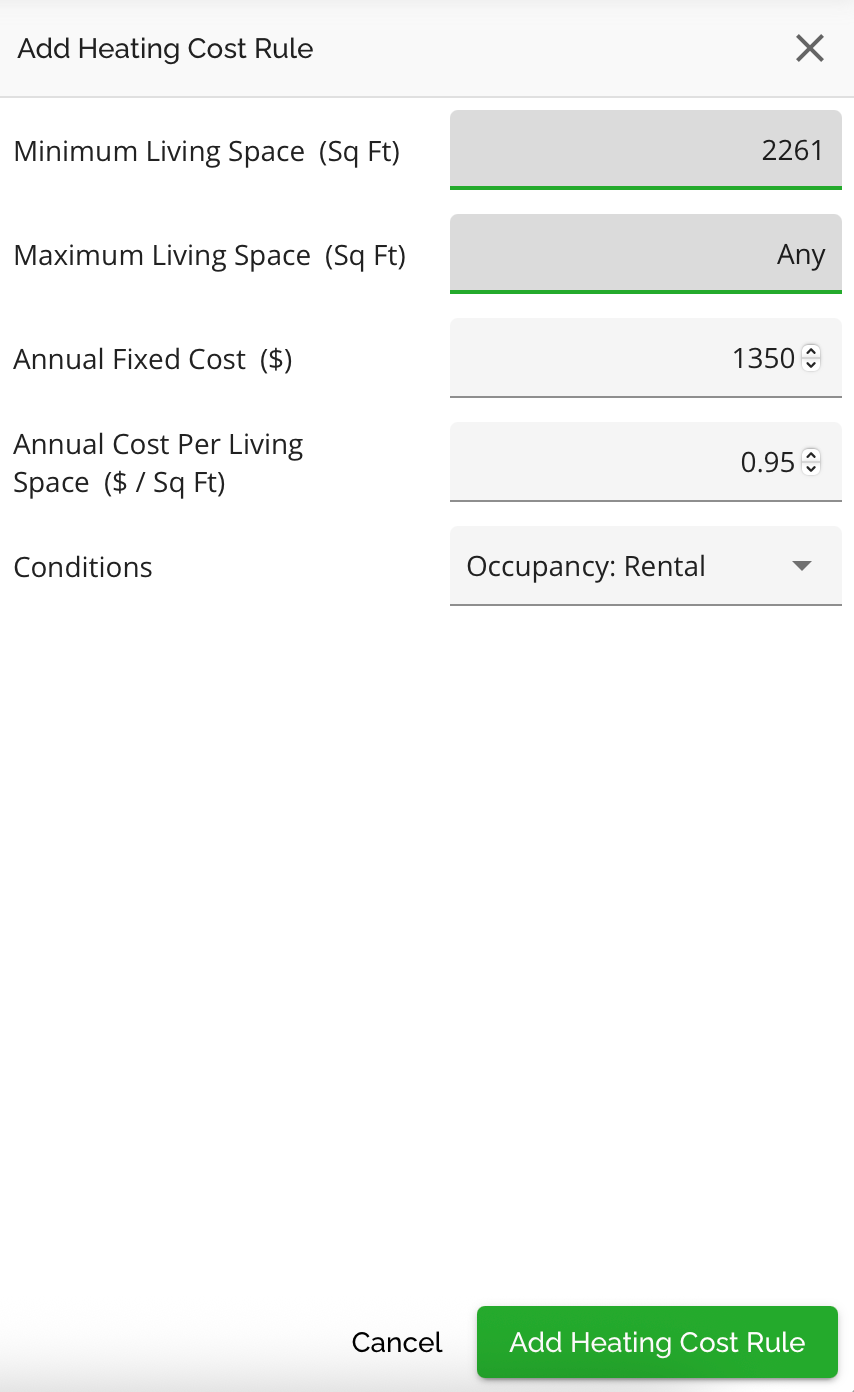
- Minimum Living Space (Sq Ft): Defines the min value of the living space range.
- Maximum Living Space (Sq Ft): Defines the max value of the living space range.
- Living Space Validation Considerations:
- Minimum living space must be less than or equal to maximum living space.
- The rule must not overlap with any existing rule that shares the same Occupancy, Tenure, and overlapping living space ranges. Overlapping rules are blocked to prevent unpredictable system behavior.
- Annual Fixed Cost ($): A flat annual heating cost applied when the rule matches.
- Annual Cost per Living Space ($ / Sq Ft): A variable cost calculated using the property’s living space.
Reminder: If both Annual Fixed Cost and an Annual Cost per Living Space are defined, the system will calculate both amounts and apply the higher value.
- Conditions: Determines the scenarios in which the rule should apply. This is a multi-select field.
Reminder: Selections within the same condition field are treated as OR, while conditions across different fields are combined using AND. A tooltip beside the Conditions header explains this logic in the interface. If no condition is selected for a field, the rule applies to all values for that field.
3. Click on the "Add Heating Cost Rule" button. Your rule will be added to the list. Alternatively, if you wish to cancel the process of creating a new rule, click on the cancel button.
Editing a Heating Cost Rule
To edit the details of a Heating Cost Rule, follow these steps:
- Find the rule you wish to edit.
- Navigate to the field you wish to edit and click on it.
- Update the data as necessary in the field.
The system will automatically save any updates made.
Note: Admins should take care when editing rules to avoid creating overlapping ranges or conditions.
Deleting a Heating Cost Rule
To delete a Heating Cost Rule, follow these steps:
- Find the rule you wish to delete.
- Click on the ellipsis to the far right and select the “Delete” option.

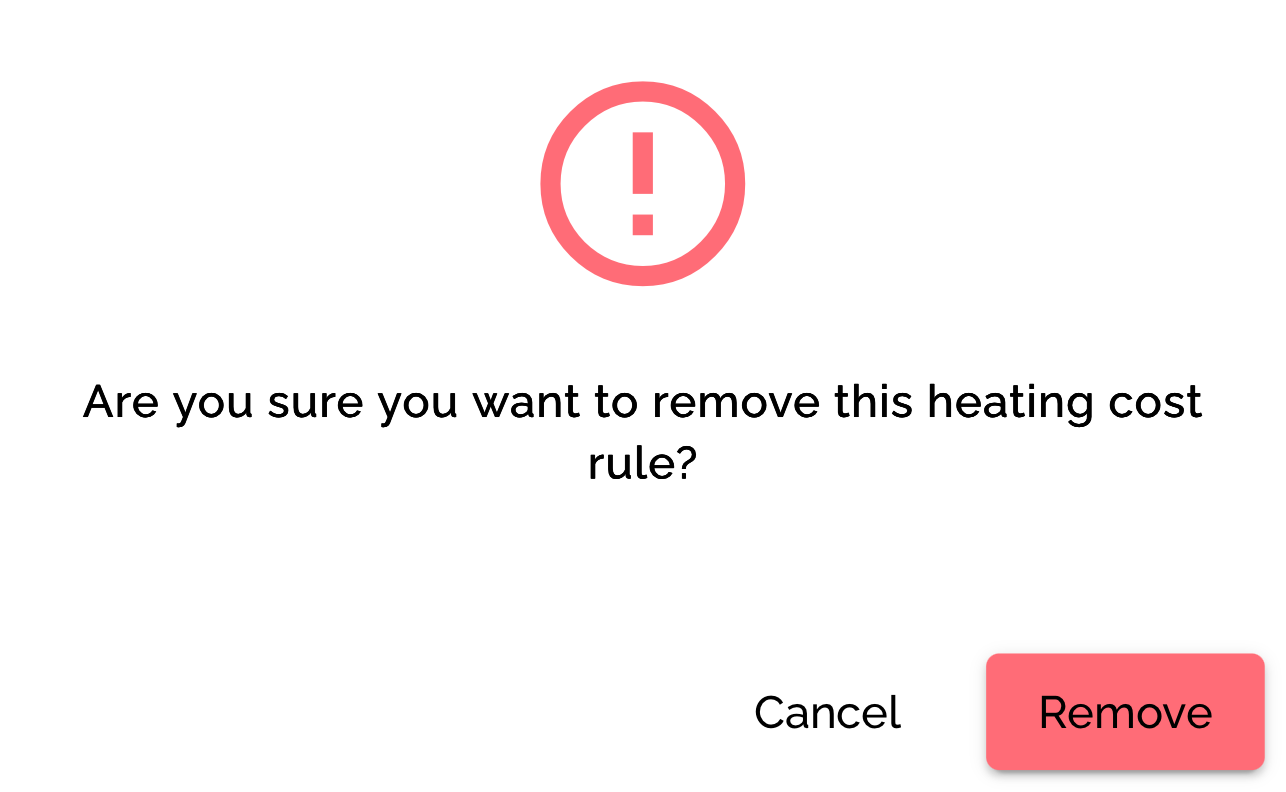
The Heating Cost Rule will be removed from the list.
When a Heating Cost Rule is edited or deleted:
- Existing applications continue to display the originally calculated value
- A notification is triggered, and a warning indicator is displayed to signal that rules have changed

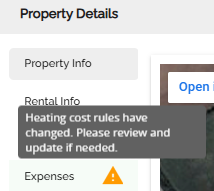
- Users can manually reapply the calculation from the application UI
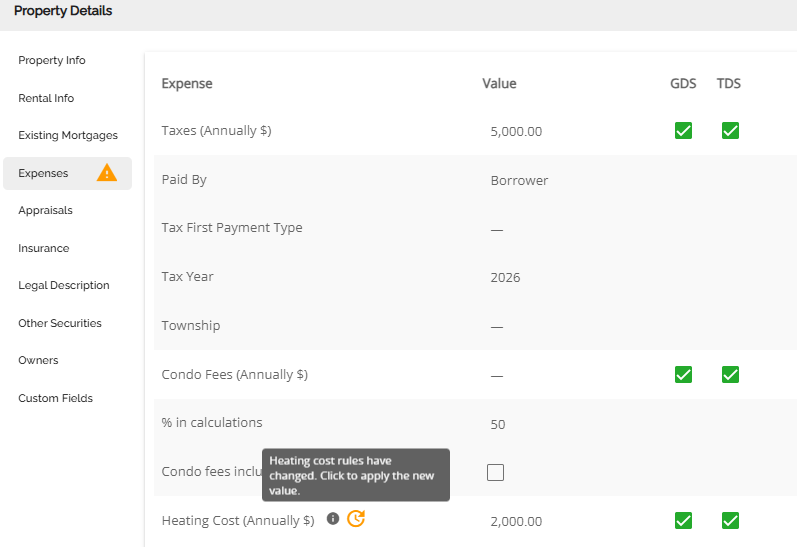
To understand how the Heat Matrix configuration works at the application level, refer to the Heating Cost Rules PFG.
History Log
All activity within the Heating Cost Rules module is recorded in the history log. To view Manager Portal history entries, select the History icon at the bottom of the screen.
Each entry displays:
- The change that was made
- The user who made the change
- The date and time the change occurred